
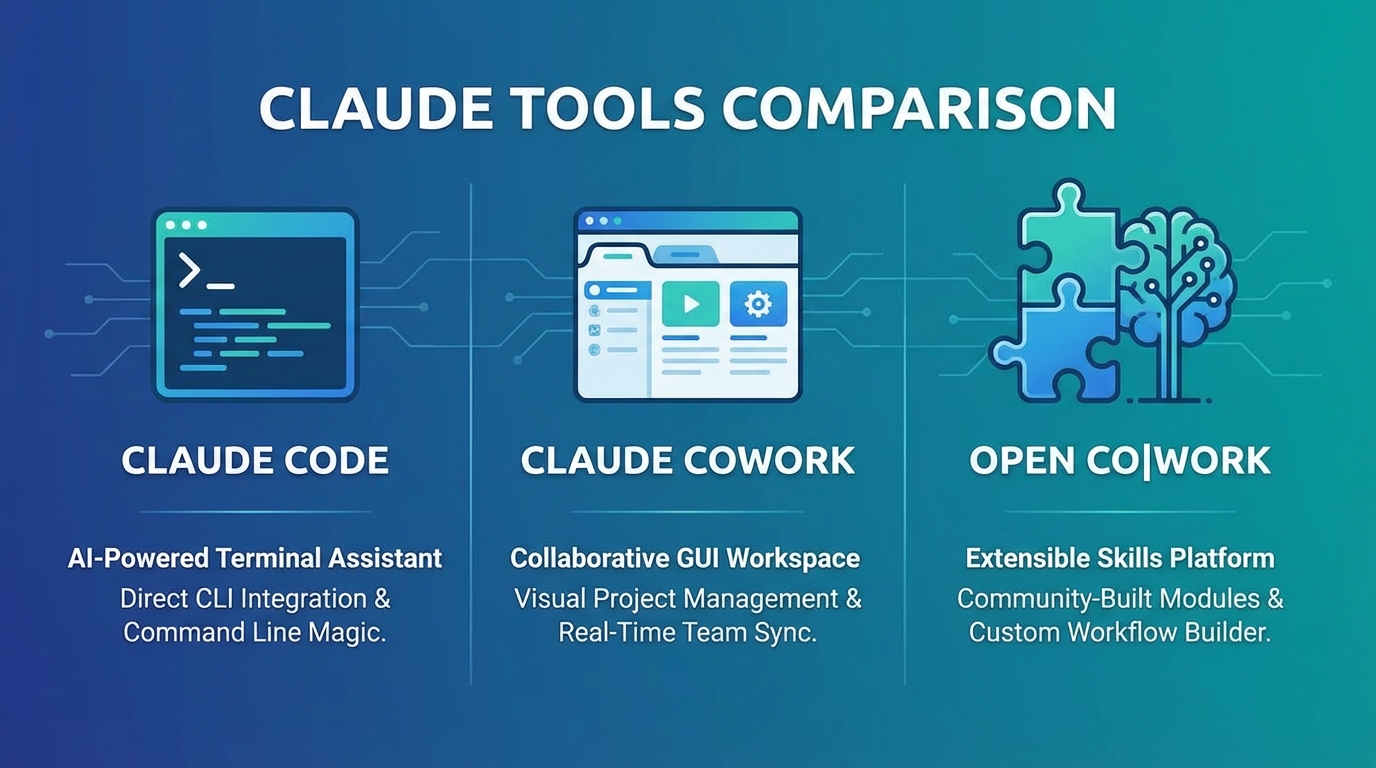
| Feature | Claude Code | Claude Cowork | open co | work |
|---|---|---|---|---|
| Access | API subscription | Waitlist + Pro | Free, open source | |
| Models | Claude only | Claude only | Any via OpenRouter | |
| Extensible | No | No | Yes (skillregistry.io) | |
| Platforms | macOS, Linux, Windows (WSL) | macOS | macOS, Windows, Linux |
What is Claude Code?
If you've heard about "Claude Code" and "Claude Cowork" and wondered what the difference is, you're not alone. Many developers search for a "Claude Code desktop app" expecting a GUI, but Claude Code is actually terminal-only. The names are confusingly similar, but these are two completely different products from Anthropic. One is a command-line tool for terminal users. The other is an experimental GUI currently in limited preview.
Here's what you actually need to know about each tool, how they compare, and an open source alternative that combines the best of both.
Claude Code is Anthropic's official command-line interface (CLI) tool for AI-assisted coding. You run it in your terminal. It can read your codebase, write code, execute commands, and help with development tasks.
Think of it as an AI pair programmer that lives in your shell. You type commands, Claude responds with code or suggestions, and you can execute those suggestions directly from the terminal.
Claude Code excels at tasks like refactoring code, writing tests, debugging errors, and explaining complex codebases. It's powerful for developers who live in the terminal.
The limitation is obvious: it's text-only. You can't see visual interfaces, browse the web, or interact with GUI applications. It's a coding-focused tool, and it stays in that lane.
What is Claude Cowork?
Claude Cowork is Anthropic's experimental GUI application for AI-assisted work. It's currently in research preview, which means access is limited to Claude Pro subscribers through a waitlist.
Unlike Claude Code (which is terminal-only), Claude Cowork provides a graphical interface. You can see Claude's responses, interact through buttons and menus, and potentially use visual elements.
Here's the catch: because Claude Cowork is in early research preview, details about its exact capabilities are sparse. Anthropic hasn't released comprehensive documentation, and access is restricted.
What we know is that it's exploring how AI agents can work in desktop environments beyond just code editing. It's Anthropic's experiment in creating a more visual, accessible AI agent interface.
The downside is availability. Most developers can't access it yet. Even if you're a Pro subscriber, you need to join the waitlist and wait for approval.
Key Differences: Claude Code vs Claude Cowork
Let's break down the fundamental differences.
Interface: Claude Code is terminal-only. You type commands and read text responses. Claude Cowork provides a GUI with visual elements and interactive components.
Access: Claude Code is available to anyone with an Anthropic API subscription. Claude Cowork is in research preview with waitlist-only access for Pro subscribers.
Use Case: Claude Code targets developers doing hands-on coding in the terminal. Claude Cowork aims broader, exploring AI assistance for various desktop tasks.
Maturity: Claude Code is a stable, production-ready CLI tool. Claude Cowork is experimental, with features and capabilities still being developed.
Model Support: Both are tied to Anthropic's Claude models. You can't swap in GPT-4, Gemini, or local models. You're locked into the Claude ecosystem.
The Real Limitation: Closed Ecosystems
Here's what neither tool can do: extend itself.
Claude Code has a fixed set of capabilities. If you need a feature it doesn't support, you're stuck. Claude Cowork is similarly constrained by what Anthropic has built into it.
This matters because AI agents are most useful when they can learn new skills. A coding agent that can't install a browser automation skill is limited. An agent that can't add image generation capabilities when you need them is incomplete.
Both tools are impressive within their boundaries. But they're closed systems. You get what Anthropic gives you, and that's it.
What if there was an alternative that could extend itself?
Introducing open co|work: The Extensible Alternative
open co|work is an open source Electron application that combines the accessibility of a GUI with the extensibility neither Claude tool offers.
It's like Claude Cowork in that it provides a graphical interface. It's like Claude Code in that it's focused on developer workflows. But it goes beyond both by connecting to skillregistry.io, where the AI can search for, install, and use new capabilities on-demand.
You're working on a project and need browser automation. Instead of switching to a different tool, open co|work can search skillregistry.io for "browser automation," find the agent-browser skill, install it, and start using it. All without you manually configuring anything.
You need to generate an image for a blog post. open co|work searches for "image generation," finds the relevant skill, installs it, and generates your image.
The agent doesn't just execute pre-programmed tasks. It learns new skills when it needs them.
This is the key difference. Claude Code and Claude Cowork have fixed capabilities. open co|work can extend itself based on what you're trying to accomplish.
Key Features of open co|work
Model Agnostic: Unlike Claude's tools (which only work with Claude models), open co|work integrates with OpenRouter. That means you can use Claude, GPT-4, Gemini, local models, or any other model OpenRouter supports. You're not locked in.
Open Source (MIT Licensed): The entire codebase is open. You can audit what it does, modify it for your workflow, or contribute improvements. No black boxes.
Cross-Platform: Works on macOS, Windows, and Linux. Install once, use anywhere.
Skill-Based Extensibility: The AI can search skillregistry.io and install new capabilities as needed. Popular skills include agent-browser (browser automation and testing), image generation (create images from text prompts), and Autonoma QA (automated quality assurance and test generation).
GUI for Accessibility: Not everyone wants to live in the terminal. open co|work provides a visual interface that's easier for non-terminal users while still being powerful for developers.
Comparison: All Three Tools
Here's how all three stack up.
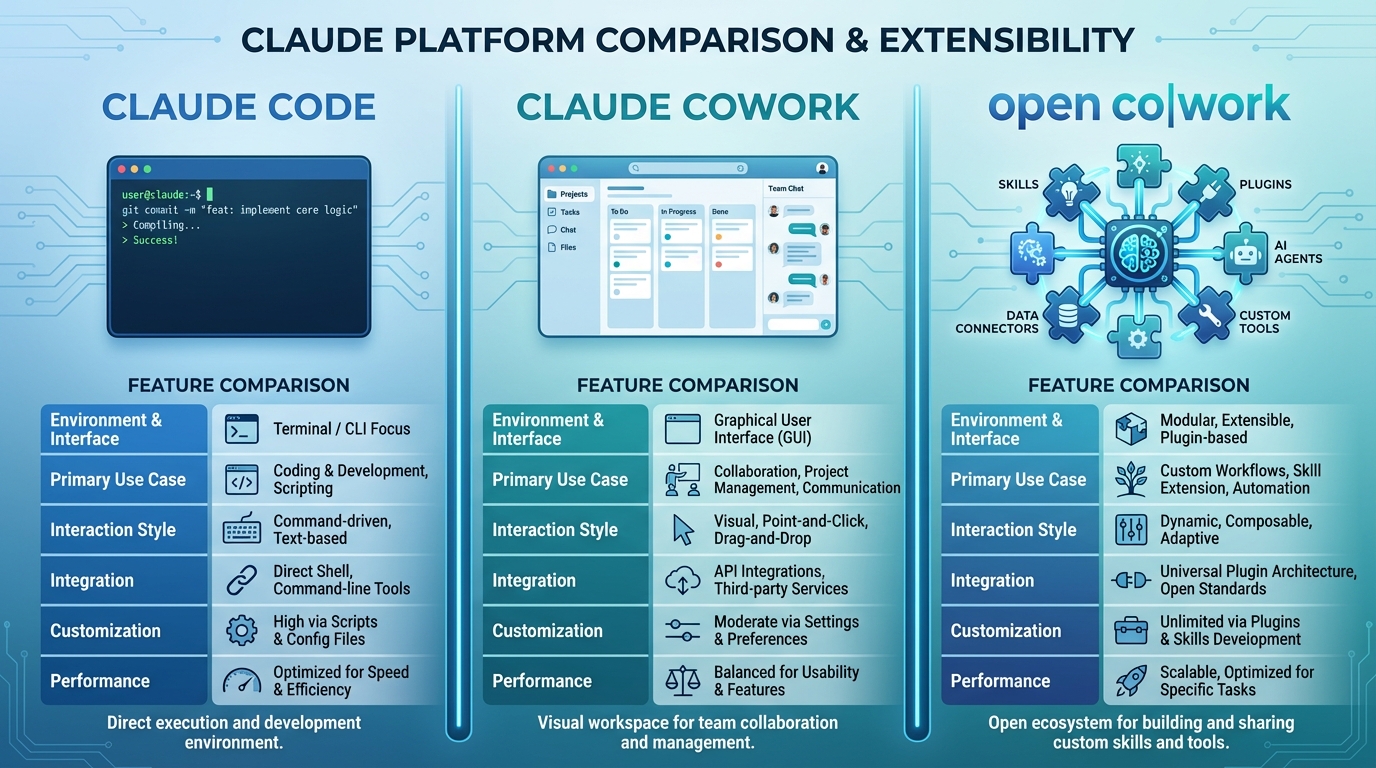
Interface: Claude Code is terminal-based CLI. Claude Cowork and open co|work both offer GUI interfaces.
Access: Claude Code requires an API subscription. Claude Cowork is waitlist-only for Pro subscribers. open co|work is free and open source (MIT license).
Model Support: Both Claude tools only work with Claude models. open co|work works with any model via OpenRouter.
Extensibility: Claude Code and Claude Cowork have fixed capabilities. open co|work is extensible via skillregistry.io.
Platforms: Claude Code supports macOS, Linux, and Windows. Claude Cowork's platform support is unknown (limited preview). open co|work supports macOS, Windows, and Linux.
Open Source: Neither Claude tool is open source. open co|work is MIT licensed.
Use Case: Claude Code is for terminal-based coding. Claude Cowork is for desktop AI assistance. open co|work is an extensible AI agent for any task.
The fundamental difference isn't just interface or access. It's philosophy. Claude Code and Claude Cowork are tools built by Anthropic with specific, pre-defined capabilities. open co|work is a platform that can learn and extend itself based on what you need.
When to Use Each Tool
Use Claude Code if you're deeply comfortable in the terminal, you want Anthropic's official stable CLI tool, you're already paying for Claude API access, and you don't need capabilities beyond code editing and terminal tasks.
Use Claude Cowork if you have access (Pro subscriber with waitlist approval), you want to experiment with Anthropic's GUI research, you're okay with limited experimental features, and you trust Anthropic's direction for desktop AI.
Use open co|work if you want a GUI that's accessible to non-terminal users, you need the AI to extend itself with new skills on-demand, you want model flexibility (not locked to Claude), you value open source transparency and customization, or you need cross-platform support without restrictions.
How to Get Started with open co|work
Getting started is straightforward.
Download the app from github.com/Autonoma-Labs/Open-CoWork for your platform (macOS, Windows, or Linux).
Open the settings and connect to OpenRouter. You can use Claude, GPT-4, or any other model you prefer.
Ask the agent to help with your task. If it needs a new capability, it will automatically search skillregistry.io and install the relevant skill.
Browse skillregistry.io to see what capabilities are available. The registry is community-driven, so new skills are added regularly.
The AI handles the complexity. You just describe what you want to accomplish.
The Future of AI Agents is Extensible
Claude Code and Claude Cowork are both impressive tools within their constraints. Claude Code is a powerful CLI for terminal users. Claude Cowork is an interesting experiment in desktop AI interfaces.
But the future isn't tools with fixed capabilities. It's agents that can learn, extend, and adapt to whatever you're working on.
That's what open co|work represents. An open source, model-agnostic, extensible AI agent that doesn't just execute pre-programmed tasks but learns new skills when it needs them.
You're not choosing between terminal and GUI. You're choosing between a fixed tool and an extensible platform.
If you're tired of switching between specialized AI tools, if you want an agent that can grow with your needs, or if you just want the freedom that comes with open source, try open co|work.
Download it. Break it. Extend it. That's the point.
Frequently Asked Questions
What is the difference between Claude Code and Claude Cowork?
Claude Code is a terminal-based CLI tool that runs in your shell. Claude Cowork is a GUI application currently in limited research preview. Both are made by Anthropic, but they target different user preferences. Claude Code is for developers comfortable in the terminal, while Cowork aims to provide a more visual interface.
Is Claude Cowork available to everyone?
No. Claude Cowork is currently in research preview with limited access. You need a Claude Pro subscription ($20/month) and must be accepted from a waitlist. There's no public timeline for general availability.
What is open co|work and how does it compare?
open co|work is an open source alternative built by Autonoma. It provides a GUI like Cowork, but with additional benefits: works with any AI model via OpenRouter, supports extensible skills from skillregistry.io, and is free and open source (MIT license). Unlike Claude's tools, open co|work is available to everyone right now.
Which tool should I use: Claude Code, Claude Cowork, or open co|work?
Use Claude Code if you love the terminal and want Anthropic's official CLI. Use Claude Cowork if you have access and want Anthropic's GUI experience. Use open co|work if you want immediate access, model flexibility, extensible skills, or prefer open source software.
Can I use Claude models with open co|work?
Yes. open co|work connects to OpenRouter, which provides access to Claude Opus 4.5, Sonnet 4.5, and Haiku 4.5, along with models from other providers like Gemini and Z.ai.
Is open co|work affiliated with Anthropic?
No. open co|work is an independent open source project built by Autonoma. It is not affiliated with, endorsed by, or connected to Anthropic in any way.